
How To Do A Basic SEO Audit On Your Own Website
There are very few things more valuable to your online presence than truly understanding how your website is performing in the search engines, and yet so many business owners and marketers either put...

There are very few things more valuable to your online presence than truly understanding how your website is performing in the search engines, and yet so many business owners and marketers either put off doing an SEO audit or assume it requires a team of specialists and a hefty budget to get it done properly. The truth is, a basic search engine optimisation audit is something you can absolutely carry out yourself, and doing so on a regular basis could make a significant difference to your visibility, your traffic, and ultimately your results online. If you want to understand how to do a basic SEO audit on your own website, this guide walks you through every key area you should be checking, what to look for, and what to do when you find something that needs fixing.
Start With Your Technical Foundation
Before you look at keywords, content, or backlinks, you need to make sure the technical side of your website is in good shape. Technical issues are often invisible to the naked eye but can have a serious impact on how search engines crawl and index your pages. Think of it like building a house on unstable ground; no matter how good the interior looks, if the foundations are cracked, problems will surface.
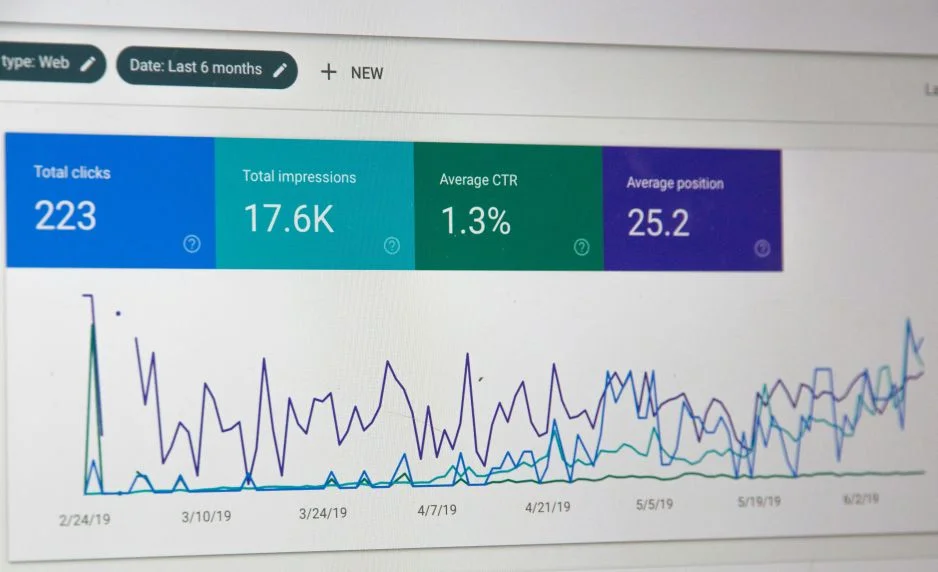
The first thing to check is whether your website is being indexed correctly. You can do this quickly by heading to Google Search Console, which is a free tool provided by Google and one that I would strongly recommend every website owner has set up and connected to their site. Within Search Console, you can see how many of your pages are indexed, whether there are any crawl errors, and whether Google is encountering any issues when it visits your site.
You should also check your robots.txt file and your XML sitemap. Your robots.txt file tells search engines which pages they should and should not crawl, and a misconfigured file can accidentally block important pages from being indexed. Your sitemap helps Google discover all the pages on your site more efficiently, and having one submitted in Search Console is a basic but important step in any website audit.
Quick fix: Log into Google Search Console, navigate to the Coverage report, and look for any pages marked as errors or excluded. Investigate each one and address any that are blocking legitimate content from being indexed.
Check Your Website Speed and Core Web Vitals
Website speed has been a confirmed ranking factor for some time now, and with Google's emphasis on Core Web Vitals as part of its overall page experience signals, a slow website is something that can genuinely hold you back in the search results. Users are also less patient than ever, and a site that takes too long to load will see visitors leave before they have even had the chance to read what you have to say.
Google's own PageSpeed Insights tool is a great starting point for this part of your SEO audit. Simply enter your URL and the tool will give you a performance score alongside specific recommendations for improvement. It will flag things like unoptimised images, render-blocking resources, and issues with how your server responds.
Pay close attention to the three Core Web Vitals metrics: Largest Contentful Paint (LCP), Interaction to Next Paint (INP), and Cumulative Layout Shift (CLS). These measure how quickly your main content loads, how responsive your page is to user interactions, and how stable your layout is as the page loads. Poor scores across these metrics can contribute to lower rankings and a frustrating user experience.
Quick fix: Run your website through PageSpeed Insights and tackle the highest-priority recommendations first. Compressing images, enabling browser caching, and switching to faster hosting are often the most impactful changes you can make without needing to touch your code.
Want more insights like this?
Join thousands of marketers getting weekly tips and strategies.
Audit Your On-Page SEO Elements
On-page SEO refers to all the elements within your individual pages that influence how well they rank for relevant search terms. This is one of the most hands-on parts of any website audit, but it is also one of the areas where small improvements can lead to meaningful gains in visibility.
Start by reviewing your title tags and meta descriptions. Every page on your site should have a unique title tag that clearly describes the content of that page and ideally includes a relevant keyword. Title tags should typically be kept to around 60 characters to avoid being truncated in the search results. Meta descriptions do not directly influence rankings, but a well-written meta description can significantly improve your click-through rate, which in turn signals to Google that your result is worth showing to more people.
Next, check your heading structure. Each page should have a single H1 tag that summarises the main topic of the page, supported by H2 and H3 subheadings that break the content into logical sections. This not only helps search engines understand the structure of your content but also makes the page easier to read for your visitors.
You should also look at your URL structure. Clean, descriptive URLs that include relevant keywords are far more useful than long strings of numbers and random characters. If your site is running on a platform like WordPress, this is usually straightforward to manage through your permalink settings.
Quick fix: Use a tool like SEMrush or Ahrefs to run a site crawl and pull a report on missing or duplicate title tags and meta descriptions. Both offer free trials and can highlight on-page issues across your entire site in minutes.
Review Your Content Quality and Keyword Relevance
Content is at the heart of search engine optimisation, and during a website audit, it is worth taking a step back to assess whether the content across your site is genuinely serving your audience and aligning with the search terms they are using to find businesses like yours.
A common issue that surfaces during SEO audits is thin content, pages with very little substance that do not really answer the user's question or provide meaningful information. Search engines are becoming increasingly good at identifying and deprioritising this kind of content, so it is worth reviewing any pages that seem light on detail and either expanding them or consolidating them with related content elsewhere on the site.
Keyword cannibalisation is another issue worth checking. This happens when multiple pages on your site are competing for the same search term, which can confuse search engines and dilute the authority of each individual page. If you find several pages targeting the same keyword, consider whether they can be merged, or whether you can adjust the focus of each page to target slightly different but related terms.
It is also worth reviewing your internal linking structure. Linking between relevant pages on your own site helps search engines understand the relationship between your content and distributes authority across your pages. A well-structured internal linking strategy also keeps visitors on your site for longer, which is always a positive signal.
Quick fix: Make a list of your most important service or product pages and check that each one has a clear, distinct keyword focus. Then look for opportunities to add internal links from supporting blog posts or related pages back to these key pages.
Analyse Your Backlink Profile
Backlinks, which are links from other websites pointing to yours, remain one of the most important ranking factors in SEO. During your website audit, it is worth taking a look at the quality and quantity of backlinks your site has accumulated, as well as identifying any potentially harmful links that could be doing more harm than good.
Google Search Console gives you a basic overview of your backlink profile under the Links section, showing you which sites are linking to you and which of your pages are receiving the most links. For a more detailed analysis, tools like Ahrefs or Moz provide comprehensive backlink data including domain authority scores and the anchor text being used in links pointing to your site.
What you are looking for here is a healthy mix of relevant, authoritative links from reputable sources within your industry. If you find a large number of spammy or irrelevant links pointing to your site, it is worth considering whether to use Google's Disavow Tool to distance yourself from them, although this should be approached with caution and ideally after doing thorough research.
Quick fix: Check your top linked pages in Google Search Console and identify any referring domains that look suspicious or irrelevant. Cross-reference these in a tool like Ahrefs for more detail before deciding on any action.
Check for Mobile Usability
With the majority of web traffic now coming from mobile devices, Google has moved to a mobile-first indexing approach, meaning it primarily uses the mobile version of your site to determine how to rank your pages. If your site is not performing well on mobile, this will have a direct impact on your search rankings, regardless of how well the desktop version looks and functions.
Google Search Console includes a Mobile Usability report that highlights any specific issues affecting mobile visitors, such as text that is too small to read, clickable elements that are too close together, or content that is wider than the screen. These are issues that can be straightforward to fix but have a real impact on both the user experience and your search engine performance.
Quick fix: Run your website through Google's Mobile-Friendly Test tool to get an immediate snapshot of how your site performs on mobile devices and what needs to be addressed.
Putting It All Together
Carrying out a basic SEO audit on your own website does not need to be an overwhelming exercise. By working through each of these areas systematically, from your technical setup and site speed through to your on-page elements, content quality, backlinks, and mobile usability, you will build a clear picture of where your site stands and, more importantly, where the opportunities for improvement lie.
The key is not to try and fix everything at once. Prioritise the issues that are most likely to have the greatest impact on your visibility and user experience, and work through them in a structured way. A regular audit, carried out every few months, will help you stay on top of new issues as they arise and ensure your website continues to perform at its best in the search results. Search engine optimisation is an ongoing process, not a one-time task, and treating your website audit as a regular habit rather than a reactive measure is one of the most effective things you can do for your long-term online success.
Ian
Ian has worked in Digital Marketing for decades, and is a Google Partner for Google Ads and an expert in onsite and technical SEO. He has worked with hundreds of clients, helping them achieve success online, through SEO, PPC and Digital Marketing, working with local businesses through to national retailers.
View all posts →Related Articles

Why Rankings Are A Poor Way To Measure Your SEO Campaign Success Rate
Too many people still rely on the tracking of keywords to rate their campaign, which as we go onto discuss, is not the best way of judging the success and effectiveness of your campaign.

The Link Building Mistakes That Will Catch You In The End
Links are still a fundamental part of SEO and improving rankings in the search engines and even though more emphasis than ever has been placed on how good and optimised your website is, link building is simply something that cannot be overlooked if you want long term success.
Why CRO Is Now As Important For SEO Than Ever Before
For years, the digital marketing world treated conversion rate optimisation (CRO) and search engine optimisation (SEO) as separate disciplines. SEO focused on driving traffic, CRO focused on convertin...