How To Set Up A Facebook Business Page The Right Way
Facebook remains one of the most powerful platforms available to businesses of all sizes, and yet so many organisations rush through the setup process, miss critical steps, and then wonder why their p...

Facebook remains one of the most powerful platforms available to businesses of all sizes, and yet so many organisations rush through the setup process, miss critical steps, and then wonder why their page is not delivering the results they expected. Getting your Facebook Business Page set up the right way from the very beginning is not simply about filling in a few boxes and uploading a logo. It is about laying the groundwork for a professional, discoverable, and trustworthy presence that works hard for your business every single day. If you are serious about using Facebook as part of your digital marketing strategy, then taking the time to do this properly will pay dividends well into the future.
Why Your Facebook Business Page Setup Matters More Than You Think
A poorly set up Facebook Business Page sends the wrong signals to potential customers before they have even had a chance to engage with your content. Think about it from the perspective of someone who has just discovered your business. They click through to your page and find a blank cover photo, incomplete contact details, and a description that tells them almost nothing. In that moment, you have likely lost them. Facebook itself gives businesses every tool they need to create a compelling and complete profile, and there is really no excuse for leaving sections empty or half-finished. When you set up a Facebook Business Page the right way, you are presenting your brand with the same level of care and professionalism that you would bring to any other customer touchpoint.
Choosing The Right Page Category
When you first create your page through Facebook's page creation tool, you will be asked to choose a category for your business. This might seem like a minor detail, but it genuinely influences how your page appears in search results, both on Facebook and in broader web searches. Facebook uses your category to determine which features are available to you and how your business is presented to users who are searching for services or products in your area.
Take the time to select the most accurate and specific category available. If you run a restaurant, for example, choosing the restaurant category rather than a generic business option will unlock features such as menus and reservation links. The same logic applies across all sectors. Be precise, be accurate, and revisit this setting periodically because Facebook does update its category options.
Completing Every Section Of Your Business Information
One of the most common mistakes businesses make when setting up a Facebook Business Page is treating the information sections as optional. They are not optional, they are essential. Facebook rewards completeness, and so do the people visiting your page. Your business name, address, phone number, website URL, email address, and opening hours should all be filled in accurately and kept up to date.
Your business description is particularly important. You have a limited amount of space to tell visitors who you are, what you do, and why they should choose you over a competitor. Write this thoughtfully, incorporate your primary keywords naturally, and make sure it reads clearly for a human audience rather than simply being a list of services. This section also contributes to your page appearing in relevant searches, so it is worth putting genuine effort into getting it right.
If your business has a physical location, enabling the map feature and ensuring your address is pinned correctly on Facebook Maps is something many businesses overlook entirely. For local businesses especially, this can be a significant factor in whether someone walks through your door or calls your number.
Want more insights like this?
Join thousands of marketers getting weekly tips and strategies.
Selecting The Right Profile Picture and Cover Image
Your profile picture is the face of your business on Facebook. It appears next to every post you publish, every comment you leave, and every advertisement you run. For most businesses, this should be your logo, sized correctly and presented clearly. Facebook recommends a profile picture of at least 170 x 170 pixels for desktop display, and it is worth ensuring the image looks clean and professional at smaller sizes too because it will appear much smaller on mobile devices.
Your cover image is prime real estate. It is the first large visual element anyone sees when they land on your page, and it should communicate something meaningful about your brand, your current offer, or your identity. Some businesses use this space to highlight a promotion, others use it to showcase their products or team. Whatever you choose, ensure the image is high quality, correctly sized at 820 x 312 pixels for desktop, and that any text within the image is minimal and legible. Canva is an excellent free tool for creating Facebook cover images at the correct dimensions without needing any design experience.
Setting Up Your Username and Vanity URL
Your Facebook page URL, also known as your vanity URL or username, is something that a surprising number of businesses simply leave as a random string of numbers. Claiming a custom username, such as facebook.com/yourbusinessname, makes your page significantly easier to find, easier to share, and more professional in appearance. It also reinforces your brand identity across every platform where you might share the link.
You can set your username through your page settings once your page has been created. Keep it consistent with your business name and, where possible, consistent with your usernames on other social media platforms. This consistency helps with brand recognition and makes your overall digital presence feel cohesive and intentional.
Configuring Your Call To Action Button
Facebook gives every business page a prominent call to action button that sits just below the cover image. This is one of the most underutilised features available to businesses, and yet it is one of the most direct ways to drive a specific action from people who visit your page. Depending on your business type, you can configure this button to direct visitors to book an appointment, send a message, call your business, visit your website, or purchase a product, among many other options.
Think carefully about what the most valuable action is for a new visitor to take, and then configure the button accordingly. A service-based business might prioritise a booking link or a contact form, whilst an e-commerce business might direct visitors straight to a product page or an online shop. This button is free to use, it takes minutes to set up, and it can meaningfully increase the number of enquiries your page generates.
Understanding Facebook Page Roles and Admin Settings
If you are running your Facebook Business Page as part of a team, or if you work with an agency or a freelancer to manage your social media, understanding page roles is critically important. Facebook allows you to assign different levels of access to different people, from full admins who have complete control over the page through to more restricted roles such as editors, moderators, and analysts.
Never give full admin access to someone you do not completely trust, and always ensure that your business retains admin control over its own page at all times. There are countless examples of businesses that have handed full control to an external party and then found themselves locked out of their own page when that relationship ended. Manage your page roles carefully, review them regularly, and always connect your page to a Facebook Business Manager account so that ownership of the page is tied to your business rather than to any individual's personal profile.
Connecting Your Page To Facebook Business Manager
Speaking of Facebook Business Manager, connecting your page to this platform is something every serious business should do from day one. Business Manager, now part of Meta Business Suite, allows you to manage your page, your advertising accounts, your pixel, and your other assets in one centralised location. It also gives you far greater control over who has access to what, and it provides better security for your business's digital assets.
If you ever intend to run paid advertising on Facebook, having your page connected to Business Manager is not just recommended, it is essential. Your ad account, your Facebook Pixel for tracking website visitors, and your product catalogues are all managed through this platform. Setting it up from the beginning means you are not scrambling to piece things together later when you are ready to start running campaigns.
Publishing Your First Content Before Promoting The Page
Before you start inviting people to like your page or promoting it in any way, make sure there is already meaningful content published on it. An empty page with no posts tells a visitor nothing about your business and gives them no reason to follow you. Publish a minimum of three to five posts before you start driving any traffic to the page. These posts should reflect the kind of content you intend to share regularly, whether that is educational information about your industry, behind-the-scenes content, product highlights, or customer-focused material.
This initial content sets the tone for your page and gives new visitors an immediate sense of what following you will be like. It also demonstrates that your page is active and current, which builds trust and encourages people to engage.
Getting Your Facebook Business Page Right From The Start
Setting up a Facebook Business Page the right way is not a complicated process, but it does require attention to detail and a willingness to invest the time in doing it properly. Every section you complete, every image you optimise, and every setting you configure correctly contributes to a page that performs better, attracts more of the right audience, and builds genuine credibility for your business online. The businesses that treat their Facebook page as a serious marketing asset rather than an afterthought are the ones that see consistent results over time. Start strong, stay consistent, and revisit your page settings regularly to make sure everything remains accurate and up to date.
Ian
Ian has worked in Digital Marketing for decades, and is a Google Partner for Google Ads and an expert in onsite and technical SEO. He has worked with hundreds of clients, helping them achieve success online, through SEO, PPC and Digital Marketing, working with local businesses through to national retailers.
View all posts →Related Articles
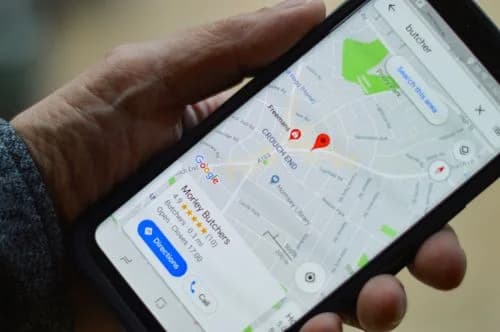
Our Complete Guide To Improving Your Google My Business Profile
In the world of local business marketing, your Google My Business profile isn't just another online listing, it's your digital shopfront that can make or break a potential customer's first impression.

Wordpress Websites Vs AI Websites
The decision between building a traditional WordPress website or embracing the new wave of AI-powered website builders has become one of the most significant choices facing businesses today. With Word...
What Is SEO And How Does It Work?
If you've ever wondered why some websites appear at the top of Google whilst others seem to vanish into the digital wilderness, you're asking the right question.